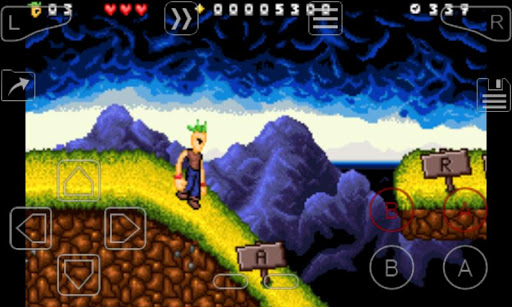
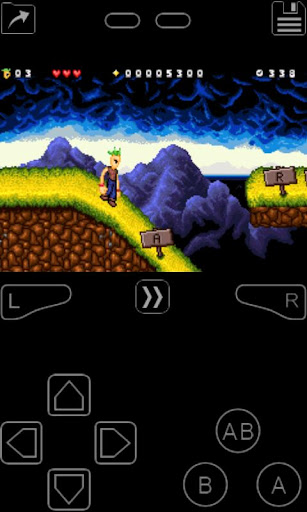
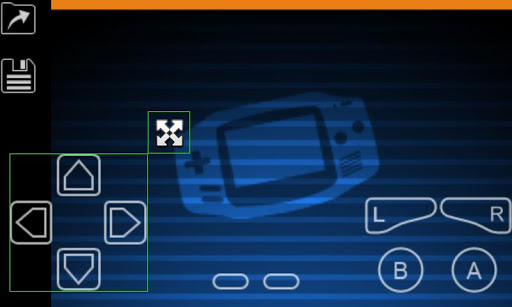
My Boy! Free – GBA Emulator is a Gameboy Advance emulator for Android Devices that lets you play almost any Gameboy game on your phone or tablet, just like an arcade emulator app for android. It is developed under the banner of Fast Emulator
This app is a fully loaded and fast emulator which can run the GameBoy Advance games on every Android device. It can emulate every aspect of real hardware efficiently. As with application of this kind, My Boy! Free – GBA Emulation doesn’t include any games, only the possibility of playing them if you can find and save the ROM to your device, which is relatively easy to do. You’ll have to go to specific websites to download them, but there are many sites online where you can find Gameboy Advance ROMs.
The emulator is perfectly compatible with most of the games, including Castlevania (some of the best titles in the saga are Gameboy Advance Games), Super Mario games, and even many of the Pokemon series, all of them work perfectly on this emulator. On the settings menu, you can adjust different aspects of the app, like sound, graphics, and even the control system.
My Boy! Free – GBA Emulator, even as a free version, has every feature of its paid counterpart. The only difference is that in the free version you can’t save the game at any point in time (which you can do with the paid version), and instead, you have to do it from inside the game. Still, this is a superb emulator.,
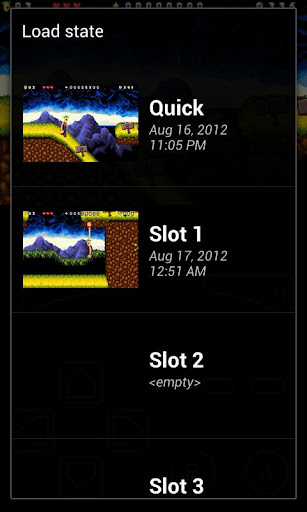
It gives the fastest and full paced emulation which helps you to save the battery. It has proved to have a high level of BIOS emulation and you are freed from the unnecessary BOIS file. It supports the video filters by GLSL shaders. It has fast – forward options which help you to skip the long stories which you are unwilling to see. You can also save any game at a particular point by screenshot. Most importantly it has a simple, neat and clean interface which performs really fast. You can create shortcuts for your favorite games in order to get direct access.
Features of My Boy GBA Emulator
Below are exciting features of Game which you’ll experience after My Boy - GBA Emulator Free Download.
• Fastest emulation, therefore saves your battery to the MAX.
• Very high game compatibility. Run nearly all games without a problem.
• Link cable emulation either on the same device, or across devices over Bluetooth or Wi-Fi.
• Gyroscope/tilt/solar sensor and rumble emulation.
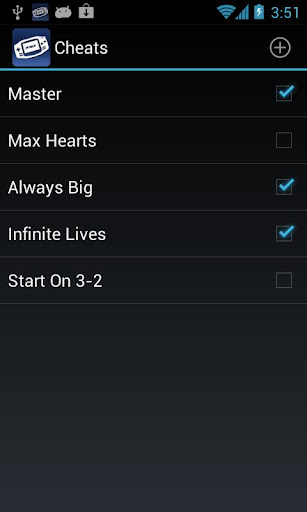
• Enter GameShark/ActionReplay/CodeBreaker cheat codes and enable/disable them on the fly while the game is running.
• High-level BIOS emulation. No BIOS file needed.
• IPS/UPS ROM patching
• OpenGL rendering backend, as well as normal rendering on devices without a GPU.
• Cool video filters through the support of GLSL shaders.
• Fast-forward to skip long stories, as well as slow down games to get past a level you cannot in normal speed.
• On-screen keypad (multi-touch requires Android 2.0 or later), as well as shortcut buttons such as load/save.
• A very powerful screen layout editor, with which you can define the position and size for each of the on-screen controls, as well as for the game video.
• External controllers support, such as the MOGA controllers.
• Clean & simple yet well-designed user interface. Seamlessly integrated with the latest Android.
• Create and switch to different key-mapping profiles.
• Create shortcuts to easily launch your favorite games from your desktop.
You may also like the GAMEs like: My OldBoy! Free - GBC Emulator, Emulator for GBA Pro Plus and NDS BOy! NDS Emulator, ect.
この質問は一番聞かれる質問です。そして、公式のGoogle Playストア以外からアプリをダウンロードする場合、この手続きはもっと複雑になるかもしれません。そのために、私たちは本サイトからダウンロードしたアプリのインストール方法について詳しくまとめました。このチュートリアルには詳細な操作方法はもちろん、役立つ写真も付きます。使い方は簡単で詳細なので、初心者でもすぐ操作できます。
本サイトからダウンロードされたアプリの安全性について心配するお方はたくさんいます。そして、私たちは本サイトからダウンロードされたアプリの安全性を保証できます。本サイトから提供するすべてのアプリはあなたのスマホのハードウェアやプライバシーに害を及ぼす可能性が一切ありません。ぜひ安心してください。
もちろんです。本サイトから提供するすべてのアプリは、100%無料でダウンロードできます。さらに、わざわざアカウントを作成する必要はありません。ダウンロードボタンをクリックするだけで完了です。
最近、さまざまな理由でログインできませんというメールをたくさん届きました。このような質問を答える前に、どのアカウントを参照しているかを知る必要があります。例えば、FacebookアカウントやYoutubeアカウントなど、アプリのアカウントについて話している場合、実にお手伝いことはできません。対応のカスタマーサービスに助けを求めるほうがおすすめです。
この質問は基本的に前の質問と非常に似ています。サードパーティアプリのサブスクリプションをキャンセルする場合は、カスタマーサービスにお問い合わせください。
この質問もサードパーティアプリのサブスクリプションをキャンセルする場合は、カスタマーサービスにお問い合わせください。私たちに助けを求めても、彼らに連絡する方法を提供する以外の方法もありません。 本サイトから退金を希望する場合には、我々のサービスが100%無料であることを再度指摘する必要があります。


 LINE無料スタンプ